
Features
Everything Kejabii does, wherever you sell
One app for the till, the online store, stock, customers, money and reports. Here is the whole list, module by module.
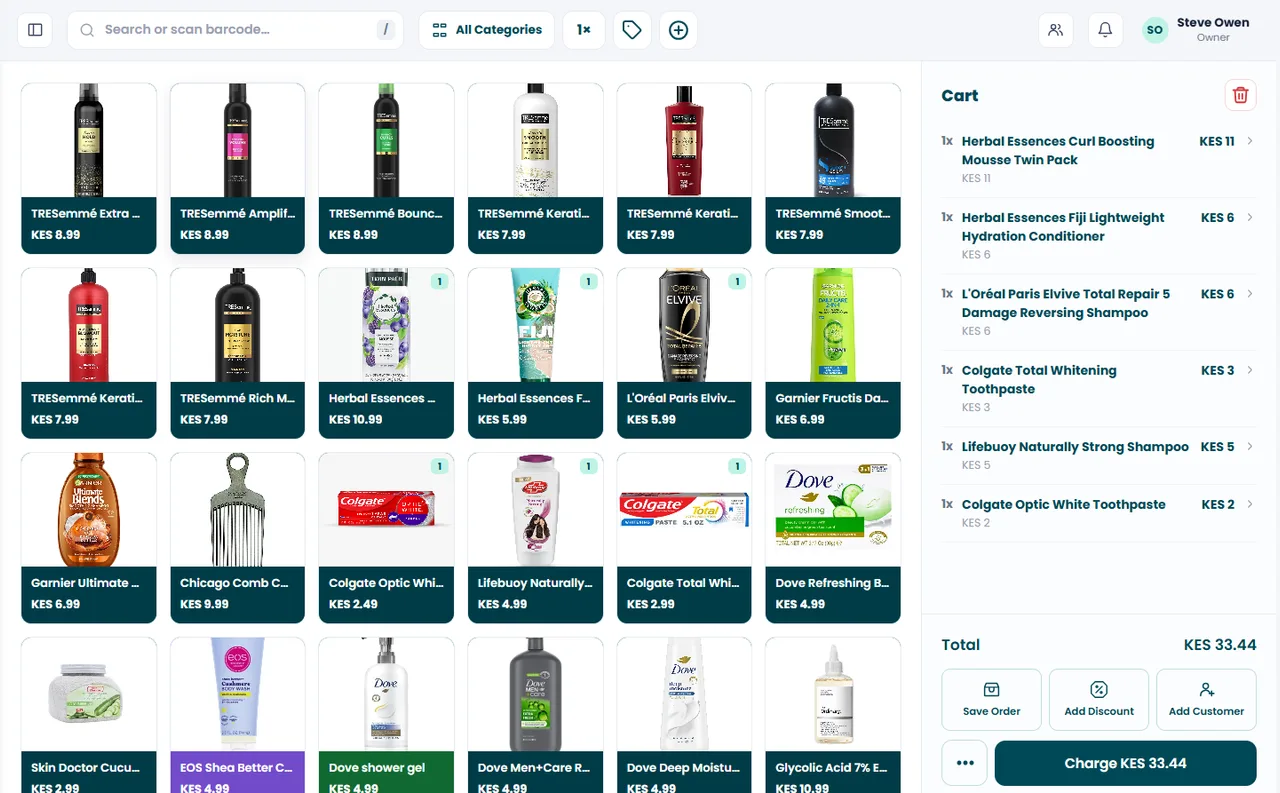
Every module below shares one catalog, one stock count and one set of numbers. Turn on what you need and ignore the rest.
01 · Point of sale
Take a sale in seconds
Fast order entry, barcode scanning, flexible pricing and receipts your customer actually wants.
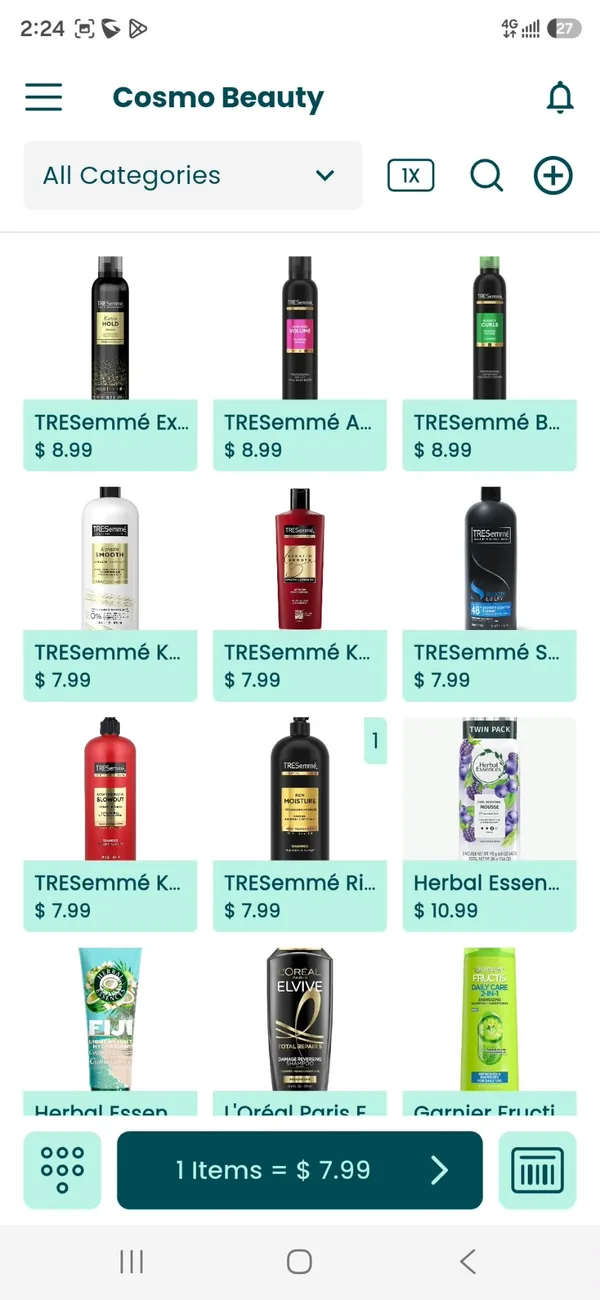
Take orders fast
Add items, take payment and finish the sale without hunting through menus.
Phone barcode scanner
Use the camera on your phone to scan items straight into the order.
Custom pricing
Change the price of any item at the counter when a deal calls for it.
Fixed or percentage discounts
Take an amount off or a percentage off, on one line or the whole order.
Assign a customer to a sale
Attach the sale to a customer so their history and balance stay up to date.
Share or print a receipt
Send it by WhatsApp or email, or print it on a connected printer.
02 · Online store
Sell online without building a site
Your store is designed already. Activate it, add products and share the link.
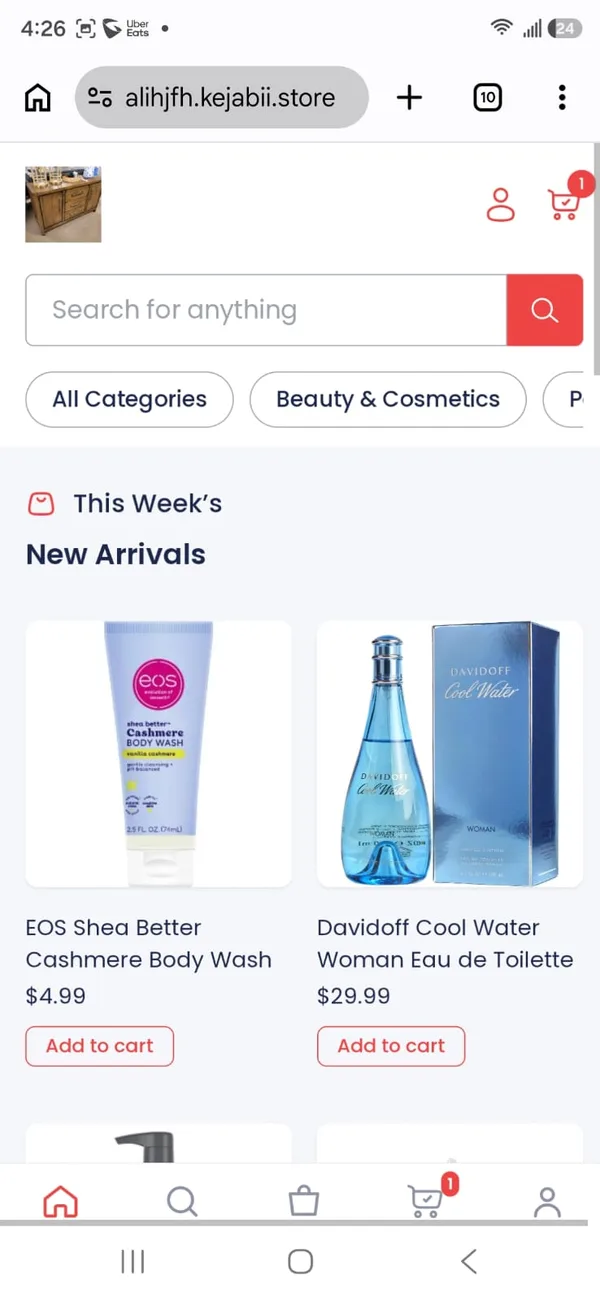
Easy online ordering
Customers browse and order from your link on any phone.
Orders via WhatsApp
Let people order on the app they already use. Orders arrive in Kejabii.
Choose what shows online
Show or hide individual products so the shelf online matches the shelf in the shop.
All your contact details
Phone, address and opening hours on the page, so people can reach you.
Social links
Point visitors to your Instagram, TikTok and Facebook profiles.
Secure payment processing
Card and mobile money paid online, with the money reconciled for you.
03 · Business insight
See how the business is doing
A summary of the numbers that matter, without exporting anything.
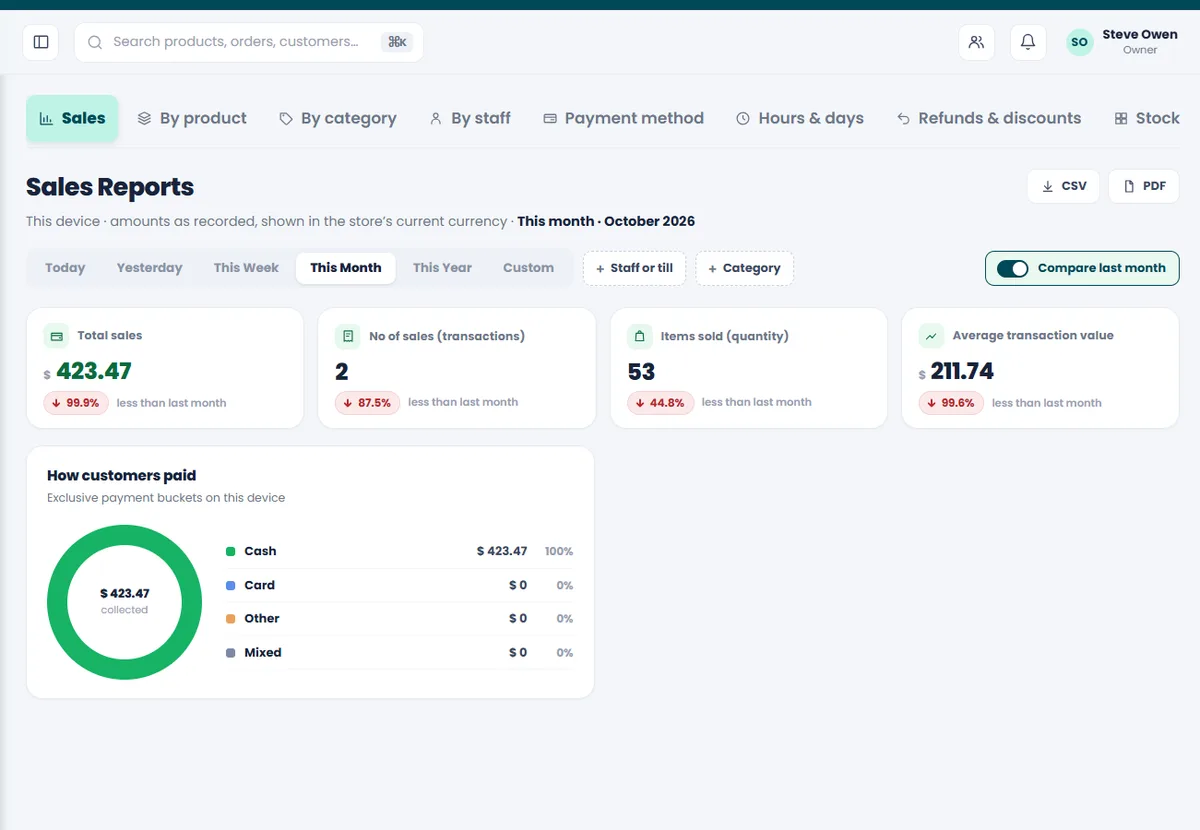
Sales performance
Today, this week and this month, with the trend against the last period.
Inventory insight
What is moving quickly and what needs restocking.
Payment method breakdown
How much came in as cash, mobile money or card.
Sales by product
Your best sellers and the lines that need a push.
Sales by staff
Who is selling what, so you can recognise and coach.
Customer insight
Who buys often, what they buy and how much they spend.
04 · Inventory
One stock count, always current
Counter sales, online orders and stock takes all move the same number.
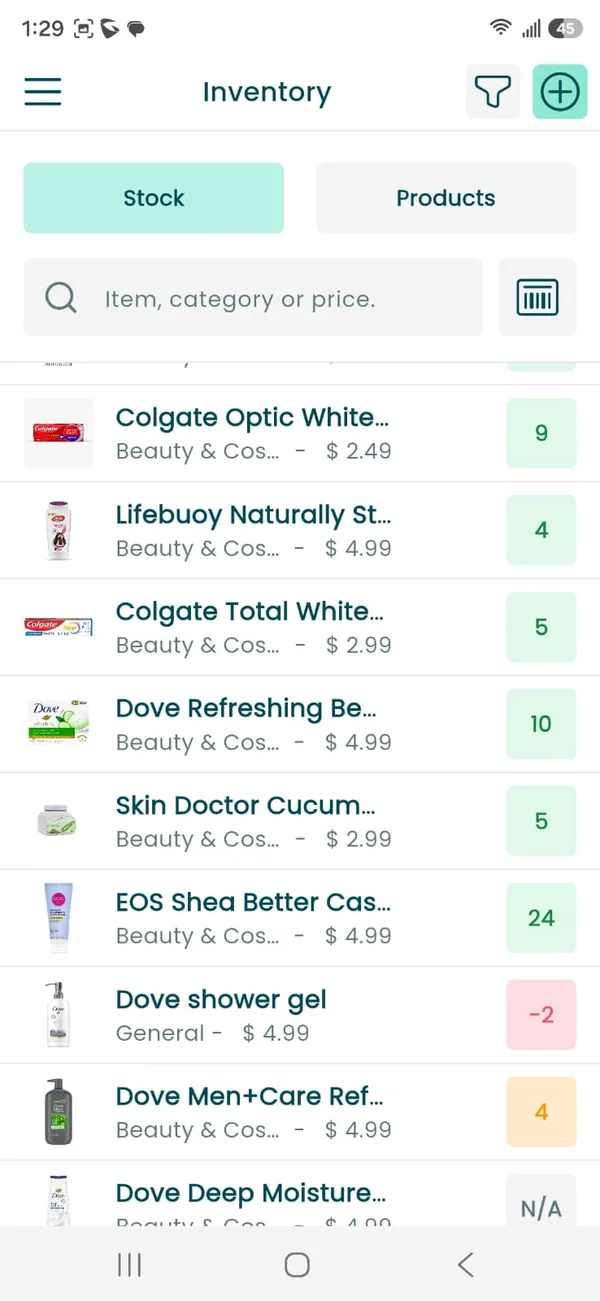
Real-time stock levels
Every sale updates the count, so you never oversell a line.
Low and out-of-stock alerts
Get told before a customer tells you.
Inventory reporting
Stock on hand, turnover and stock value in one report.
Add stock deliveries
Book in a delivery and the counts update in one step.
Stock adjustments
Correct for returns, damage or a count that came out short.
Product categories
Group products so the till and the store are quick to navigate.
05 · Saved orders
Park an order, come back to it
Built for shops with queues and for restaurants running tables.
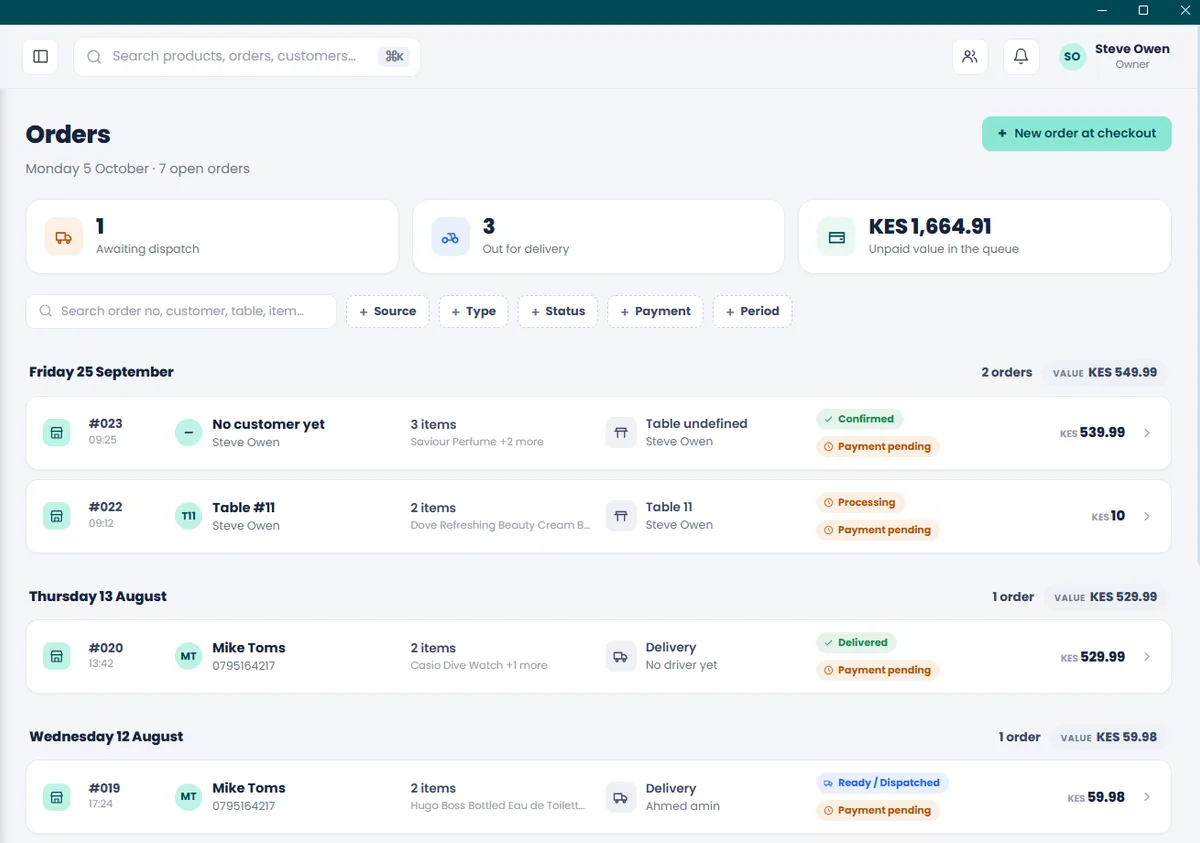
Save and resume orders
Hold an order while you serve someone else, then pick it back up.
Standard or table orders
Assign a saved order to a table for dine-in, or keep it as a counter order.
Order status
Track each order from opened to paid so nothing gets forgotten.
Get started today for free
It takes less than a minute. Download the app, add your first product and take a sale.
06 · Transactions
Every sale on the record
A full history you can search, drill into, refund or share.
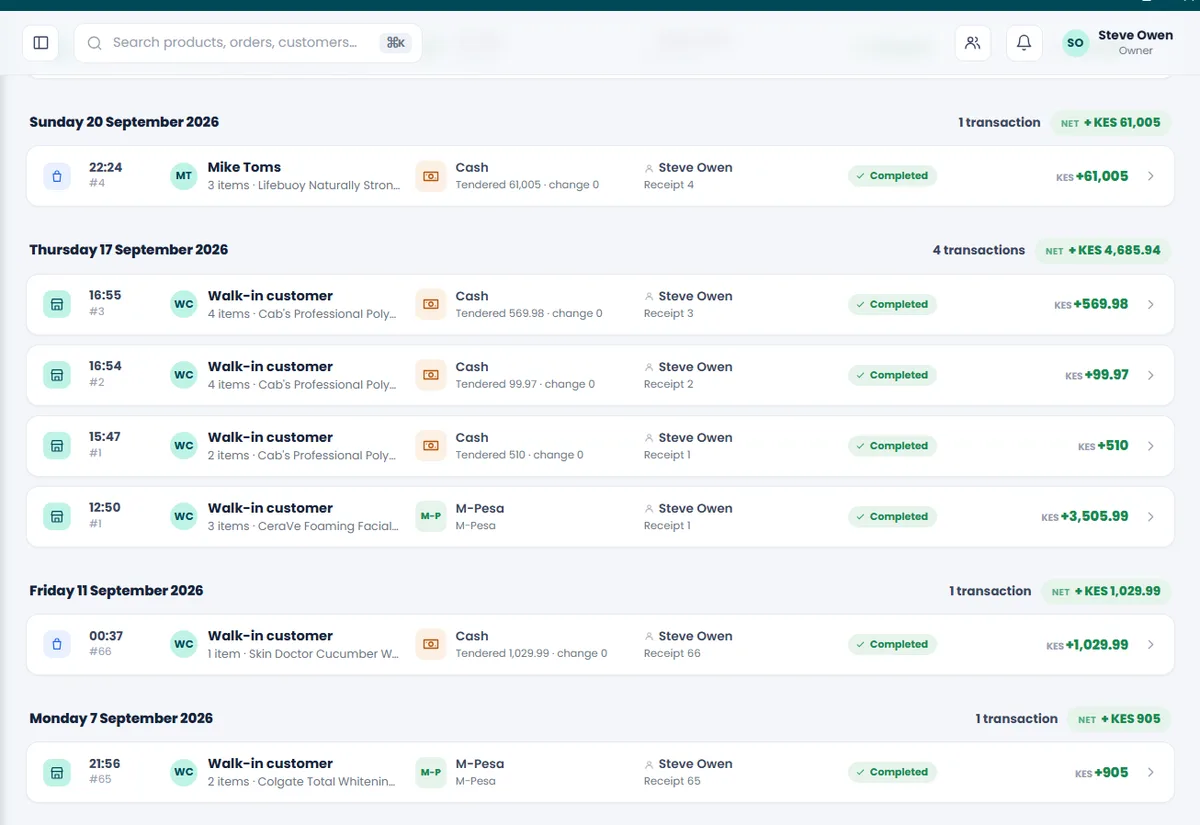
Full transaction history
Every sale in one list, on any device you sign in to.
Transaction detail
Items, payment method and discounts applied on each sale.
Cancel a transaction
Correct a mistake at the till without leaving a mess in the numbers.
Refunds
Process a full or partial refund and the stock count follows.
Share receipts
Resend a receipt to a customer by message, email or print.
Filter transactions
Narrow by date, staff member or payment method to find one sale.
07 · Customers
Know who is buying
Profiles, buying habits and credit, all attached to the sale.
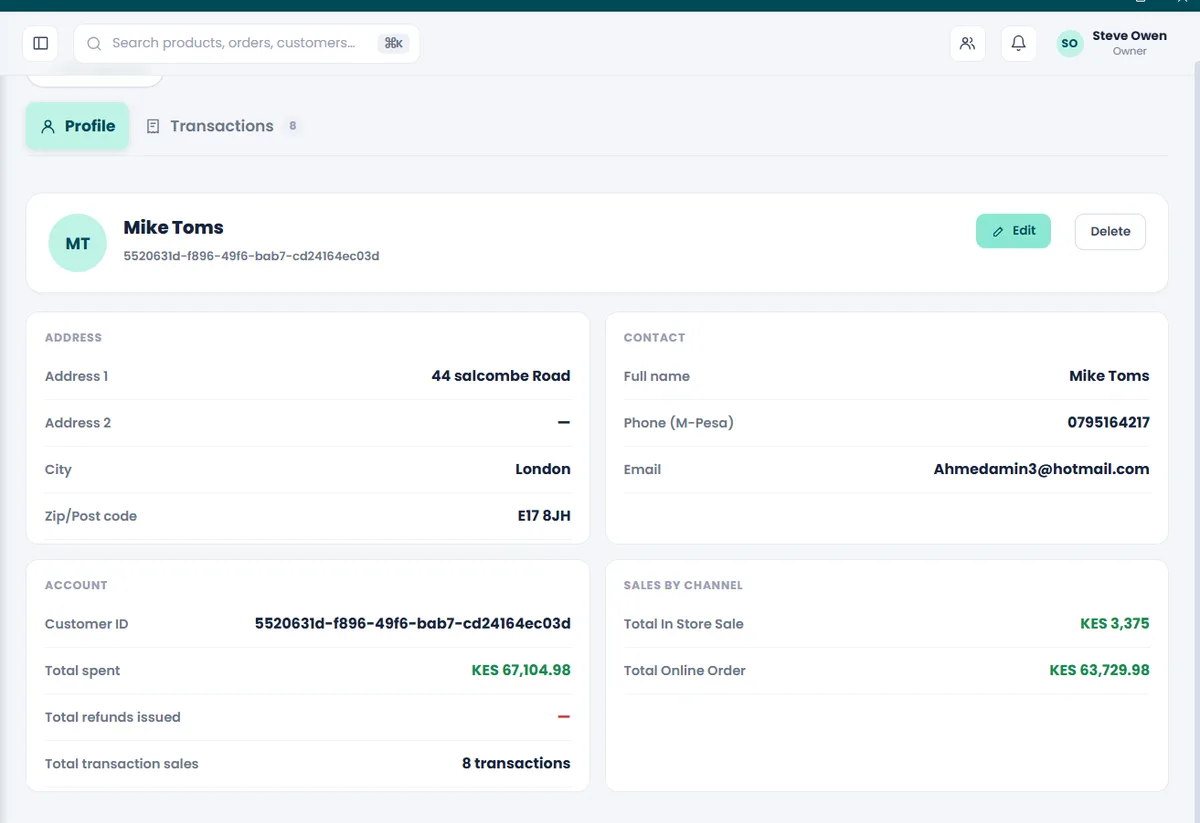
Customer profiles
Contact details, preferences and purchase history in one place.
Shopping insight
What each customer buys and how often they come back.
Buy now, pay later
Sell on credit and keep the outstanding balance on the account.
Account statements
Give a customer a statement of purchases, payments and what is owed.
Transaction history
Every purchase and return for that customer, in order.
Loyalty tiers
Label customers Silver, Gold or Diamond and reward repeat business.
08 · Reporting
Take the numbers with you
Download, filter and share the detail when your accountant asks.
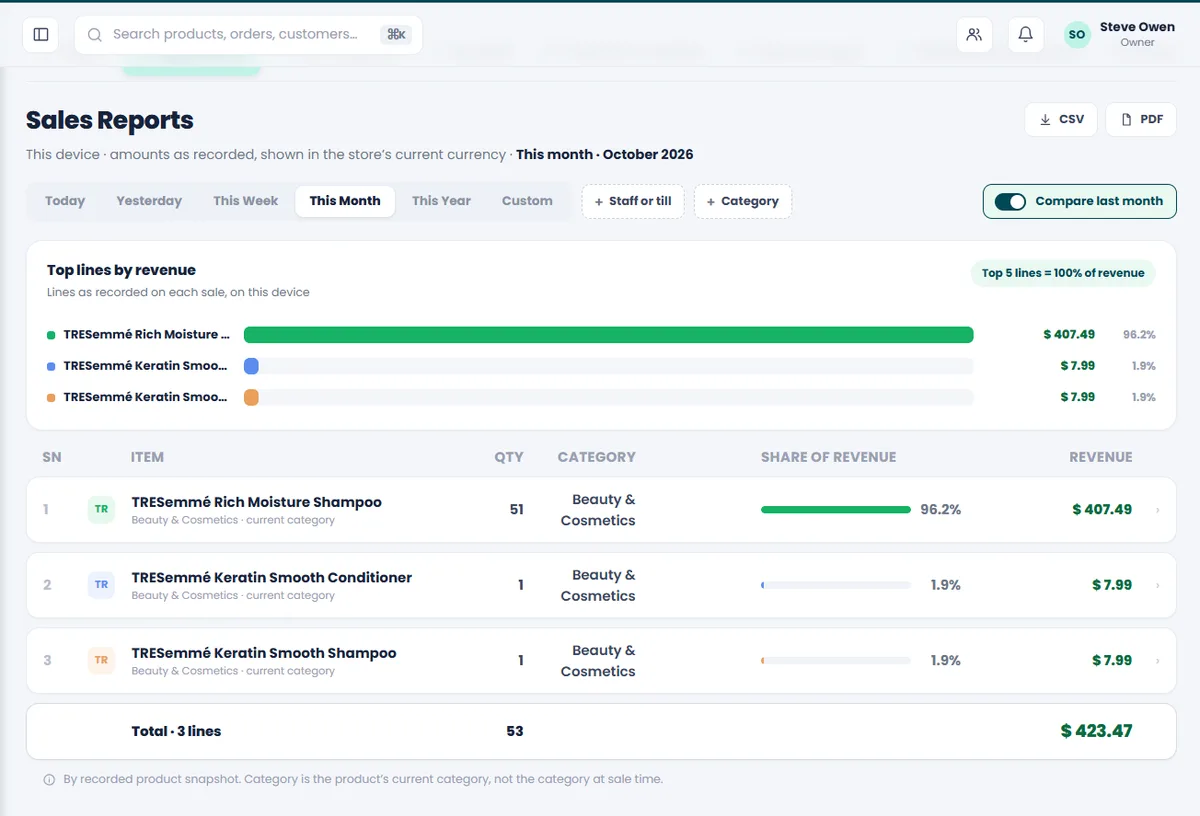
Comprehensive reports
Sales, stock, staff, customers and debts, all downloadable.
PDF or CSV
Pick the format that suits the person receiving it.
Save and share reports
Keep a copy and send it to your team or your accountant.
Filter report data
Focus on a period, a category or a single metric.
Historical data
Compare this month against last month, or this year against last.
Other features
The practical things that keep a shop running on a busy day.
Staff and permissions
Give each person a login and decide what they can see and do.
Works offline
Keep selling when the connection drops. Everything syncs when you are back.
Bulk customer import
Bring an existing customer list in from a spreadsheet.
Printer integration
Print receipts straight from the app on a connected printer.
Scanner integration
Pair a barcode scanner to speed up the queue and cut errors.
Payment integration
Connect M-Pesa, Stripe and PayPal so customers can pay online.
What other customers are saying
I did not need ten different tools. The till, the online orders and the stock all sit in one app, so my staff only have one thing to learn.